
Summary created by Smart Answers AI
In summary:
- PCWorld highlights how Google TV and Android TV users can replace their default home screen with third-party launchers for better customization.
- Kyu Launcher offers a Roku-like interface without banner ads, featuring custom app folders and themes for just $4 in optional upgrades.
- Alternative options include Monet Launcher with Apple TV-style design and Projectivy Launcher for maximum customization with streaming recommendations and widgets.
One of the best things about Google’s smart TV and streaming player software is that if you don’t like the standard home screen, you can replace it.
Now, you can even make the home screen look like a Roku, thanks to a free app called Kyu Launcher. This alternative home screen closely resembles Roku’s sidebar and app grid, but without any obnoxious banner ads, and it works on any Google TV or Android TV device.
Switching to Kyu Launcher takes only a couple minutes to set up, and it provides a much simpler experience whenever you press your remote’s home button. But it’s also just one of several ways to swap Google TV’s main menu for one that’s more to your liking.
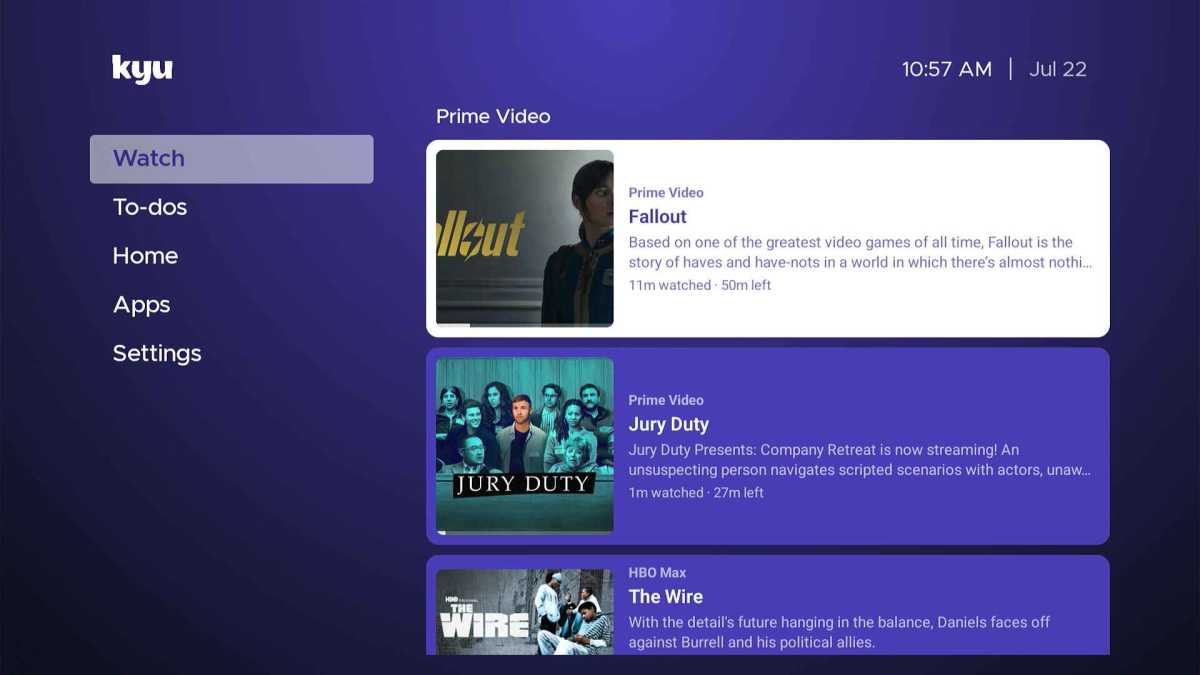
Jared Newman / Foundry
After installing Kyu Launcher from the Google Play Store, you can open the app to see what it looks like. This will not replace your home screen yet, so you can still get back to the regular home screen by tapping your remote’s home button.
Much like on Roku, the “Home” tab lists most of your apps in a 3-by-3 grid, along with TV inputs if you’re using a smart TV. There’s also a handy “Watch” tab that lists movies and shows in progress—seemingly based on Google TV’s “Continue Watching” row—and a “To-dos” task list tab that feels superfluous on a television.
One big difference from Roku: You can create additional folders in the left sidebar for organizing your apps. An “Apps” folder is included by default,…