
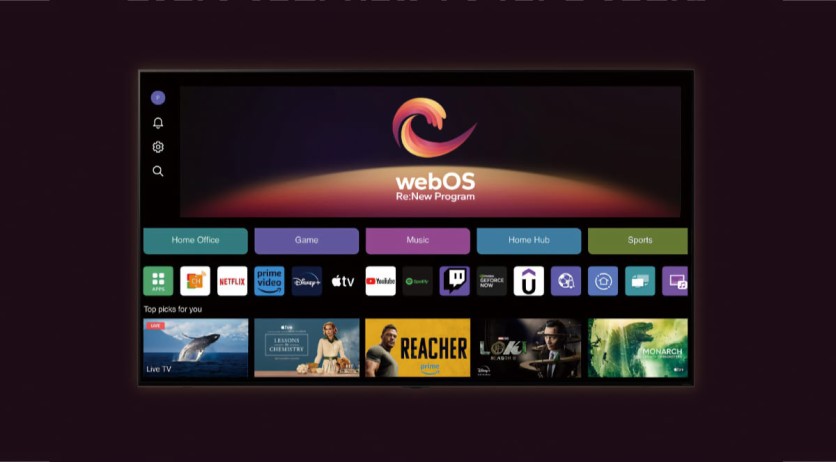
LG has begun rolling out webOS 26 to older smart TVs, starting with the 2025 G5 OLED — bringing faster performance, a redesigned smart-home hub, a new Kids Mode, and expanded AI features to millions of sets that left the factory on earlier software. But the update removes professional calibration tools that enthusiast owners rely on, cannot be reversed once installed, and will surface a court-mandated data-collection consent prompt that many LG TV owners have never seen before. Owners of eligible models should know what they are getting into before the webOS 26 rollout for older TVs installs automatically.
webOS 26 Arrives Earlier Than Any Year Before
The rollout launched on approximately August 22, 2026 — more than a month ahead of the equivalent webOS 25 rollout, which did not begin reaching older sets until late September 2025. LG has consistently described its Re:New schedule as subject to change, but the early timing suggests the company has gotten faster at the logistical work of adapting the OS for a large and varied installed base.
The firmware in question carries webOS 26 firmware version 43.21.71 and weighs approximately 2 GB. The G5 OLED was first in the queue, as is standard: LG’s rollout always begins with the G-series flagship before cascading to C-series OLEDs, high-end LCD models, and B-series OLEDs over the following weeks.
Owners of 2025 C5 and B5 OLED series sets, as well as 2025 LCD models, should expect to see the update in the coming days and weeks. Owners of 2024, 2023, and 2022 models will need to wait considerably longer: LG has indicated those cohorts will receive webOS 26 later in 2026 or in early 2027, depending on model and region.
If automatic updates are enabled — the default setting — the firmware will appear and install on its own within a few days of becoming available for a given model. Owners who want the update immediately can check for it manually — Pocket-lint’s guide covers how to manually check updates…