
You finally sit down to watch that Korean thriller everyone’s talking about, and the subtitles are nowhere to be found. Or maybe you have the opposite problem: captions you never asked for are plastered across your screen, and they won’t go away no matter what you click. When Prime Video subtitles aren’t working, it can ruin a movie night, and it’s a real problem if you rely on captions to follow along.
The good news is that almost every subtitle problem comes down to a few causes. The title doesn’t have the language you want, your device’s caption setting is fighting with Prime Video’s, or the app has picked up some junk data. This guide sorts the fixes by symptom (missing, stuck on, out of sync, wrong language, or hard to read), so you can jump straight to yours.
Quick Fixes to Try First
These basics fix a surprising number of subtitle problems:
- Toggle subtitles off and on: Open the subtitle menu, choose Off, then pick your language again.
- Restart playback: Stop the title completely, back out to the home screen, and start it again.
- Restart your device: Unplug your TV or streaming stick for 30 seconds, or close and reopen your browser.
- Try a different title: If subtitles work on another show, the problem is with that one title, not your setup.
- Update everything: Update the Prime Video app, your browser, and your device’s system software.
How to Turn Subtitles On or Off in Prime Video
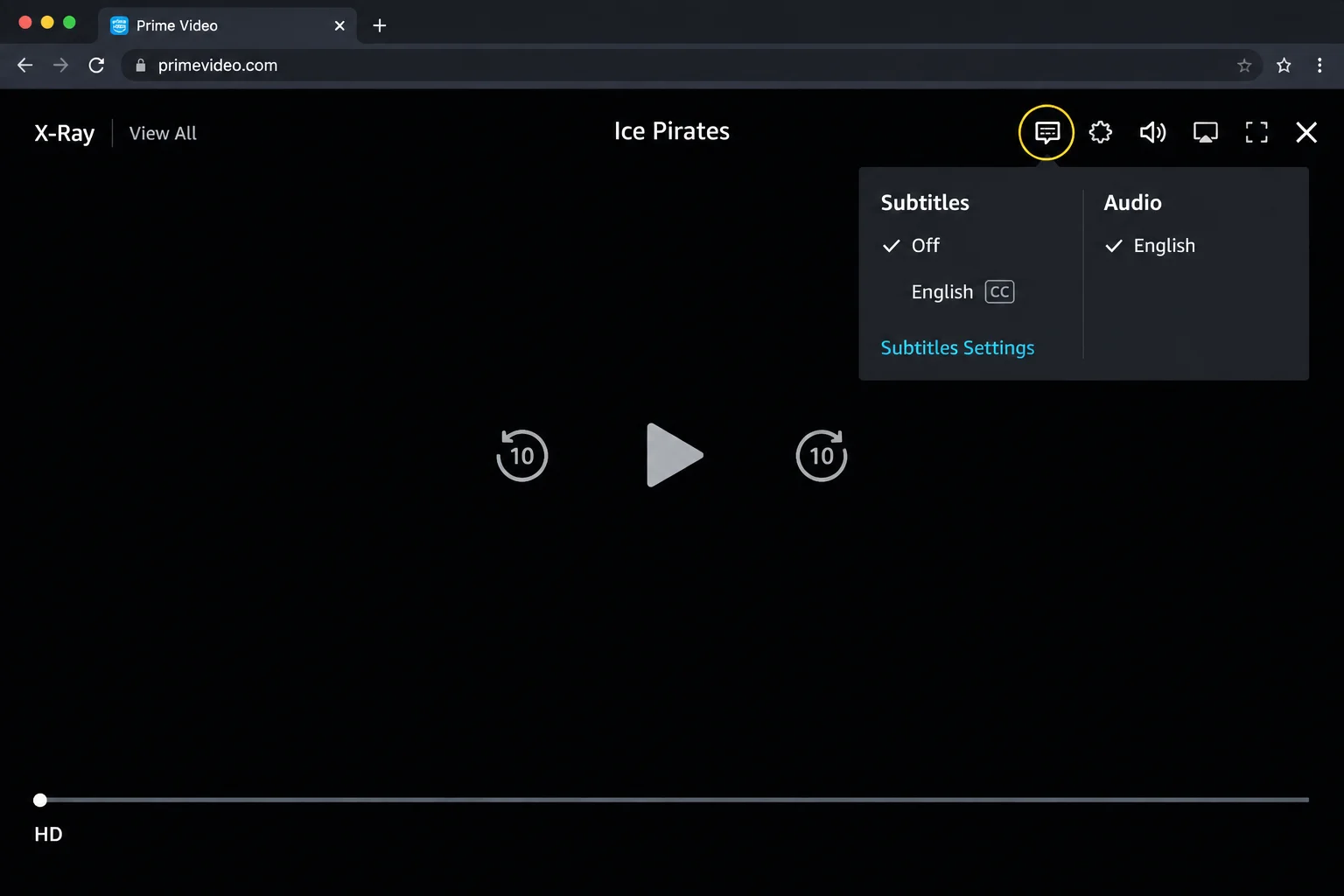
Prime Video’s subtitle control is a small speech bubble icon, usually labeled Subtitles and audio. The exact label can vary a little by device.
On the Web (Windows and macOS)
- Go to primevideo.com and start playing a title.
- Move your mouse over the video to show the player controls.
- Click the speech bubble icon near the top-right corner of the player.
- Under Subtitles, pick a language, or choose Off to hide them.
On Phones and Tablets
Tap the screen while a video plays, tap the speech…